
LATEST VERSION 1.1.1
Release highlights:
- New
Mesh3Dv2format: more compact, faster, and designed for meshlet culling. - New graphical and command-line tools to create, convert, inspect and analyze TGX assets.
- Faster 3D rendering pipeline, including a new efficient anti-aliased wireframe path.
- New
SHADER_UNLITrendering mode. - New and updated examples for Teensy, ESP32, Pico/RP2040/RP2350 and M5Stack boards.
- Expanded documentation, including a much more complete 3D guide.
Full documentation is now available at https://vindar.github.io/tgx/

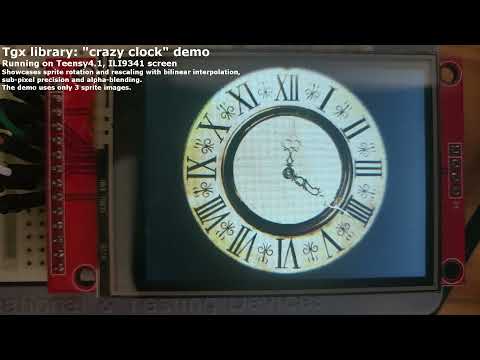
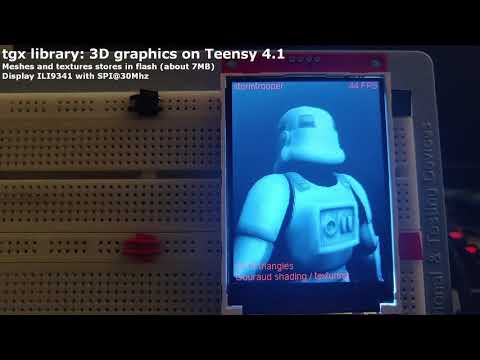
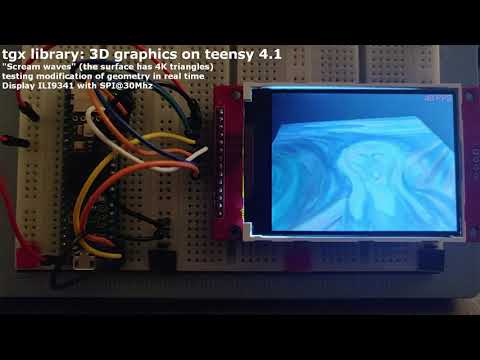
This library implements a set of classes that make it easy to draw 2D and 3D graphics onto a memory framebuffer. It is designed and optimized for 32-bit MCUs, yet it is cross-platform and also works on CPUs.
The library has been tested on:
- Teensy 3.5, 3.6, 4.0, 4.1
- ESP32 family
- Raspberry Pico 1/2 (RP2040/RP2350)
- STM32 (STM32F4/STM32H7)
- Desktop CPUs
Warning: The goal of the library is to draw graphics onto a memory framebuffer. As such, it does not provide any hardware or screen support. You will need a screen driver to display the framebuffer on a physical screen. If you are using a Teensy 4.0/4.1 with an ILI9341 screen, consider using my optimized driver.
Here are the main features of the library:
- Supports multiple color types:
RGB565,RGB24,RGB32,RGB64,RGBf, andHSV. Every 2D/3D drawing operation is available for each color type. - A templated
Imageclass encapsulates a memory framebuffer and enables the creation of sub-images (i.e., views) that share the same buffer. This provides an elegant and efficient way to clip all drawing operations to a specific region. - API (mostly) compatible with Adafruit's GFX and Bodmer's TFT_eSPI libraries, but with more drawing primitives and usually faster! Primitives include lines, triangles, rectangles, polygons, circles, ellipses, arcs, pies, Bezier curves, splines, and more.
- Methods for blitting sprites with or without a transparent mask, supporting rotation and scaling. High-quality rendering is achieved using bilinear filtering and sub-pixel precision for smooth animations.
- Color type conversion and image resizing.
- Transparency support for all drawing methods. The
RGB32andRGB64color types include an alpha channel for alpha blending. Types without an alpha channel still support basic blending via an opacity parameter available for most drawing primitives. - Anti-aliased methods for drawing thick lines and circles.
- Support for Adafruit fonts and PJRC's ILI9341_t3 v1 and v2.3 anti-aliased fonts.
- Graphical and command-line tools to convert images, meshes and fonts into C++ files that can be directly imported into a project.
- Seamless integration with external libraries: OpenFontRender (for TrueType fonts), PNGdec (for PNG), JPEGDEC (for JPEG), AnimatedGIF (for GIF).
- Heavily optimized pixel-perfect triangle rasterizer with selectable sub-pixel precision (2, 4, 6, or 8 bits).
- Depth buffer testing (16-bit or 32-bit precision).
- Three wireframe drawing paths: fast aliased lines, optimized one-pixel antialiased lines, and a much slower adjustable thickness + AA path.
- Flat and Gouraud shading.
- Phong lighting model with separate ambient, diffuse, and specular components (currently supports one directional light source).
- Per-object material properties.
- Perspective-correct texture mapping with selectable point sampling or bilinear filtering. Wrap modes: repeat (for power-of-two textures) or clamp to edge.
- Perspective and orthographic projection.
- Optional backface culling.
- Tile rasterization: render only part of the viewport at a time to save RAM, using a smaller image and z-buffer.
- Template classes for all required math operations:
Vec2,Vec3,Vec4(vectors),Mat4(4×4 matrices), andBox2(2D box). - Optimized mesh data format: meshes and textures can be read directly from flash memory to save RAM.
- Python tools for easy conversion of texture images, fonts and 3D meshes (in Wavefront
.objformat) into C++ files that can be directly imported into an Arduino project.
Note: The recommended way to create new TGX font headers is now tools/tgx_font.py or tools/cli_tools/tgx_font_cli.py. The companion tgx-font repository remains available for older projects and as a collection of plain and anti-aliased fonts.
- Full documentation is available here.
- Examples are located in the
/examples/subfolder of the library and demonstrate how to use most of the library’s features.