StaySync is a comprehensive hotel management system built with ASP.NET Core 8 MVC. It helps hotels manage the entire accommodation process from reservations and check-in to billing and check-out.
The software aims to help companies manage the whole accommodation process from making a reservation and checking in to managing bills and checking out.
This is a professional ASP.NET Core MVC application and it has taught me a lot and continuos to do so. I have a lot of future plans for the application and therefor it has a lot of missing features. I plan to maintain and improve this project.
- ASP.NET Core 8.0
- ASP.NET Core Identity 8.0
- Entity Framework Core 8.0
- Newtonsoft Json 13.0.2
- AutoMapper 12.0.0
- Html Sanitizer 8.0.601
- Bootstrap 4.6.2
- Bootstrap Select 1.13.18
- Font Awesome 6.2.0
- JQuery 3.6.1
- Microsoft SQL Server 2022 Developer Edition
- NUnit 3.13.3
- NUnit3 TestAdapter 4.3.1
- NUnit Analyzers 3.5.0
- Microsoft.NET TestSdk 17.4.0
- Microsoft EntityFramework Core InMemory 6.0.10
- Moq 4.8.13
- MockQueryable.Moq 6.0.1
- coverlet collector 3.2.0
The application follows the standard MVC architecture including some key principles and patterns like:
- Service layer pattern
- Repository pattern
- Inversion of control principle
- Unit of work pattern and other.


You can install the project in three different ways.
- Open Git Bash.
- Change the current working directory to the location where you want the cloned project.
- Type
git clone https://github.com/tulbadex/StaySyncand press enter.
- Go to the root of the repository.
- Click the green code button.
- Click download zip.
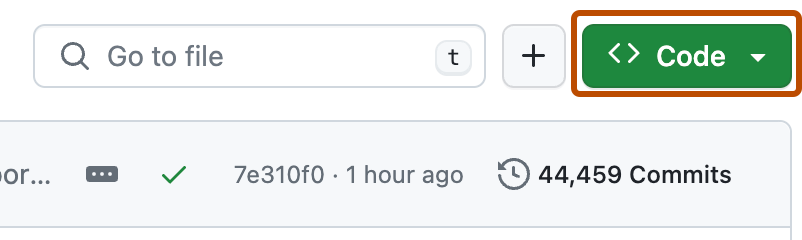
3. Using a Git GUI client
- Install the project
- Open the solution
- Make sure it builds
- Start a MSSQL Server instance
- Add the database connection string in the user secrets
- Right click on the StaySync.Web project
- Select Manage User Secrets
- Your secrets.json should look like this
{ "ConnectionStrings": { "DefaultConnection": "your_connection_string" } } - Set StaySync.Web as a starting project
- Apply database migrations
- Open the package manager console
- Set StaySync.Data as a default project
- Execute this command
Update-Database - Right click on libman.json located in StaySync.Web and select Restore Client-Side Libraries
- Start StaySync.Web
- Log in with one of the seeded users
Username Password Roles receptionist receptionist123 Receptionist hotelsManager hotelsManager123 HotelsManager administrator administrator123 HotelsManager, Administrator - Try out the application and share your feedback
A local code documentation website can be hosted following these steps:
- Make sure you have built the solution at least one time before
- Open the documentation folder in the root of the repository
- Start a terminal in that folder
- Execute this command
docfx docfx_project\docfx.json --serve - Open http://localhost:8080
- Click Api Documentation
- Start exploring and reading
The project is licensed under the GNU GPL v3 license.