The new image generation in OpenAI Codex is incredibly good. codex-vision is a tiny Claude Code skill (one bash wrapper + a SKILL.md) that wires it up so Claude can review a screenshot, generate a UI mock, or edit an image via Codex from one shell command.
Three modes, one shell call per artifact: review · generate · edit.

▶ Live loop. Download the 4.3 MB MP4 (24 s) for sound-free / higher-fidelity playback.
npx skills add thenamangoyal/codex-vision -g -a claude-code -yThat drops the skill into ~/.claude/skills/codex-vision/ and Claude Code auto-loads it. You'll need the Codex CLI installed and authenticated once (codex login) — the wrapper's doctor command surfaces install instructions if it's missing.
Other install variants — multi-agent symlink, version pin, project-scoped, manual clone
Every coding agent at once — Claude Code, Cursor, Codex CLI, Gemini CLI. Source written once to ~/.agents/skills/codex-vision/ and symlinked into each agent's per-tool dir, so a single npx skills update propagates everywhere:
npx skills add thenamangoyal/codex-vision -g --allPin a release tag instead of main HEAD:
npx skills add thenamangoyal/codex-vision@v0.3.2 -g -a claude-code -yProject-scoped (loads only inside one repo) — drop -g and run inside the repo:
npx skills add thenamangoyal/codex-vision -a claude-code -yUpdating — when a new version ships:
npx skills update codex-vision    # this skill only
npx skills update -g              # every globally-installed skill
update is an alias for re-running add; both overwrite the install in place. For the multi-agent symlink path, updating the single source at ~/.agents/skills/codex-vision/ propagates to every agent automatically.
No-npx clone:
git clone https://github.com/thenamangoyal/codex-vision ~/.claude/skills/codex-vision
~/.claude/skills/codex-vision/scripts/codex-vision.sh doctor
Uninstall — npx skills remove codex-vision (or rm -rf ~/.claude/skills/codex-vision/ if you cloned).
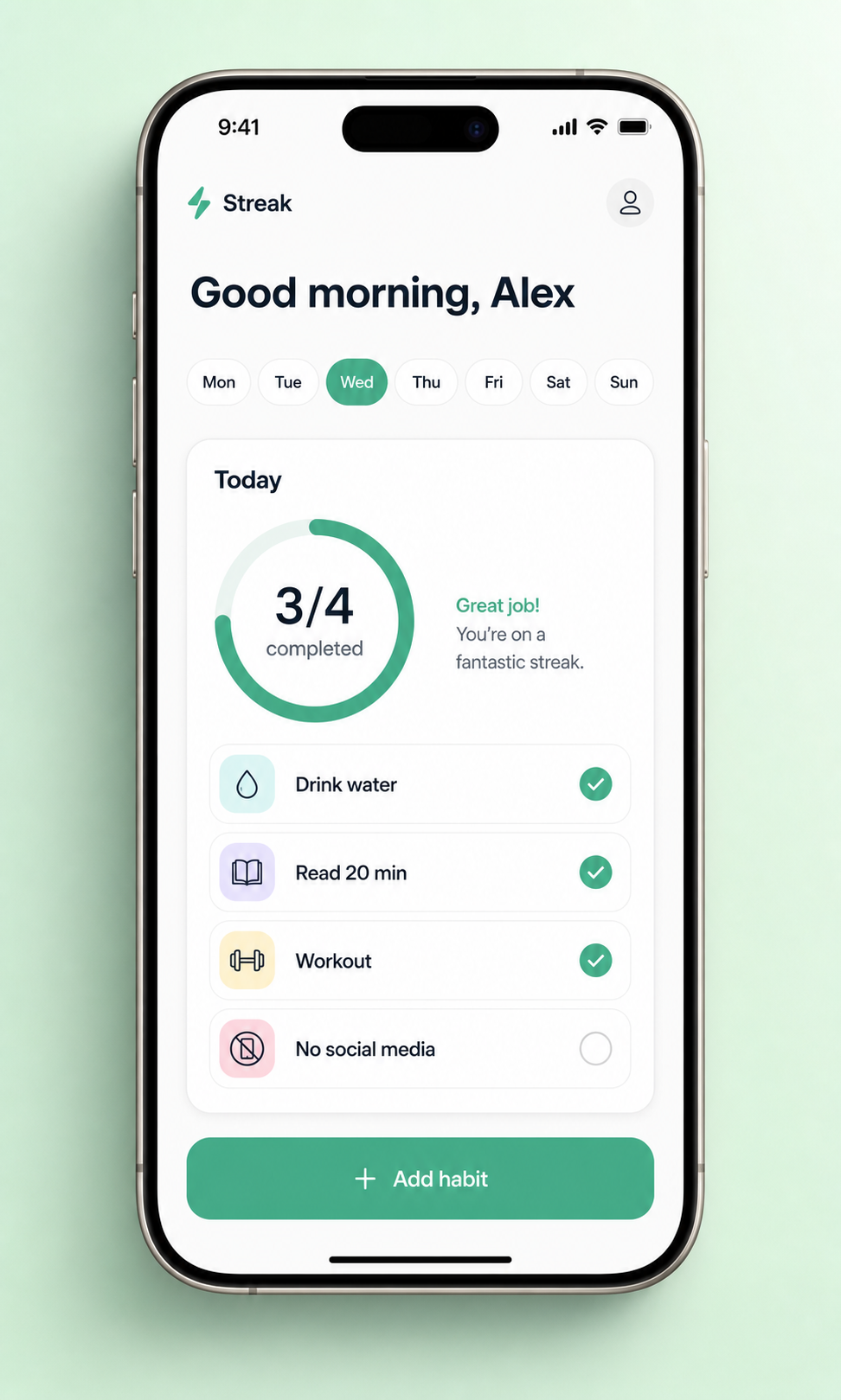
A "Streak" iOS habit-tracker mock inside a current-gen iPhone, in one shell call:
codex-vision generate "Minimalist mobile app screen for a fictional habit-tracker called 'Streak', shown inside a realistic titanium iPhone 15 Pro, viewed straight-on. Clean light theme: greeting, horizontal day-of-week pills with today highlighted, a 'Today' card with a circular progress ring (3/4) and 4 habit rows each with an icon and check, primary 'Add habit' button at bottom. iOS-native typography. Mint-green seamless paper backdrop, soft drop shadow. 9:16 phone aspect inside a 4:5 image, App Store screenshot quality." \
  --out ~/Desktop/streak-app.png
The same skill in the opposite direction: feed any screenshot to codex-vision review … and it returns a structured drive-by from Codex (5 prioritized issues + concrete fixes by default).
More examples — pricing page in browser, before/after redesign, architecture diagram, iMac landing-page hero, design critique
What makes a good prompt. Specify device frame, lighting, background, palette (with hex if you have it), typography, and aspect ratio. Bad prompts make bad images.
codex-vision generate "Clean SaaS pricing page mock displayed inside a realistic Chrome browser window, URL bar reading 'app.example.com/pricing'. Centered heading 'Simple, transparent pricing'. Three pricing cards (Hobby \$9, Pro \$29, Team \$79). Pro tier visually elevated with a 'Most popular' label. Crisp Inter typography, neutral palette with deep-teal accent. 16:10, full browser chrome visible." \
  --out ~/Desktop/pricing.png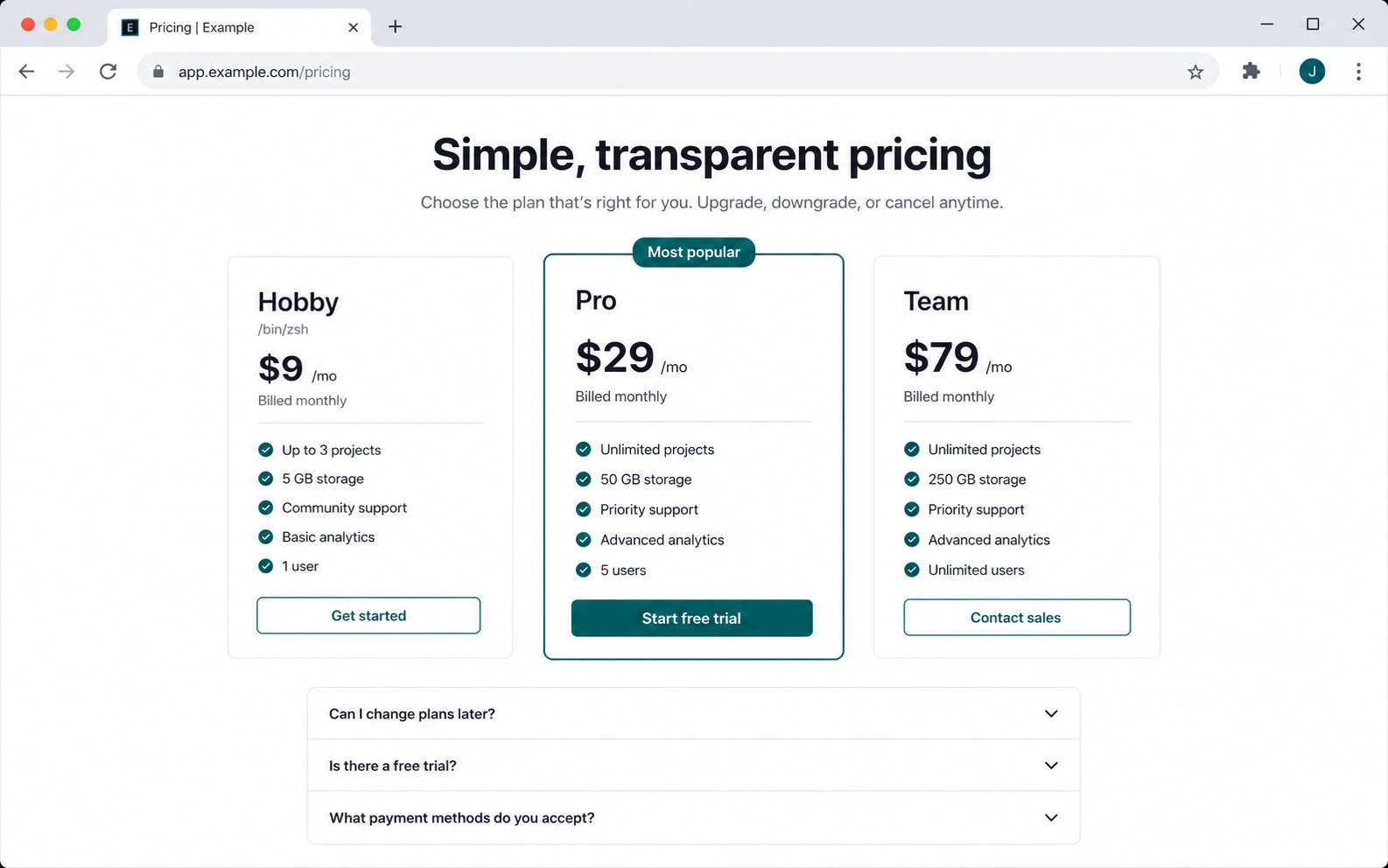
codex-vision generate "Side-by-side before/after redesign comparison of a developer-tool dashboard, both shown inside identical Chrome browser frames stacked vertically. Top: 'Before — cluttered v1' (busy admin dashboard, tiny tables, gray-on-gray). Bottom: 'After — refined v2' (same data, generous whitespace, three KPI cards, one focused chart, single primary CTA). 16:10 each, light-cream background." \
  --out ~/Desktop/v1-vs-v2.png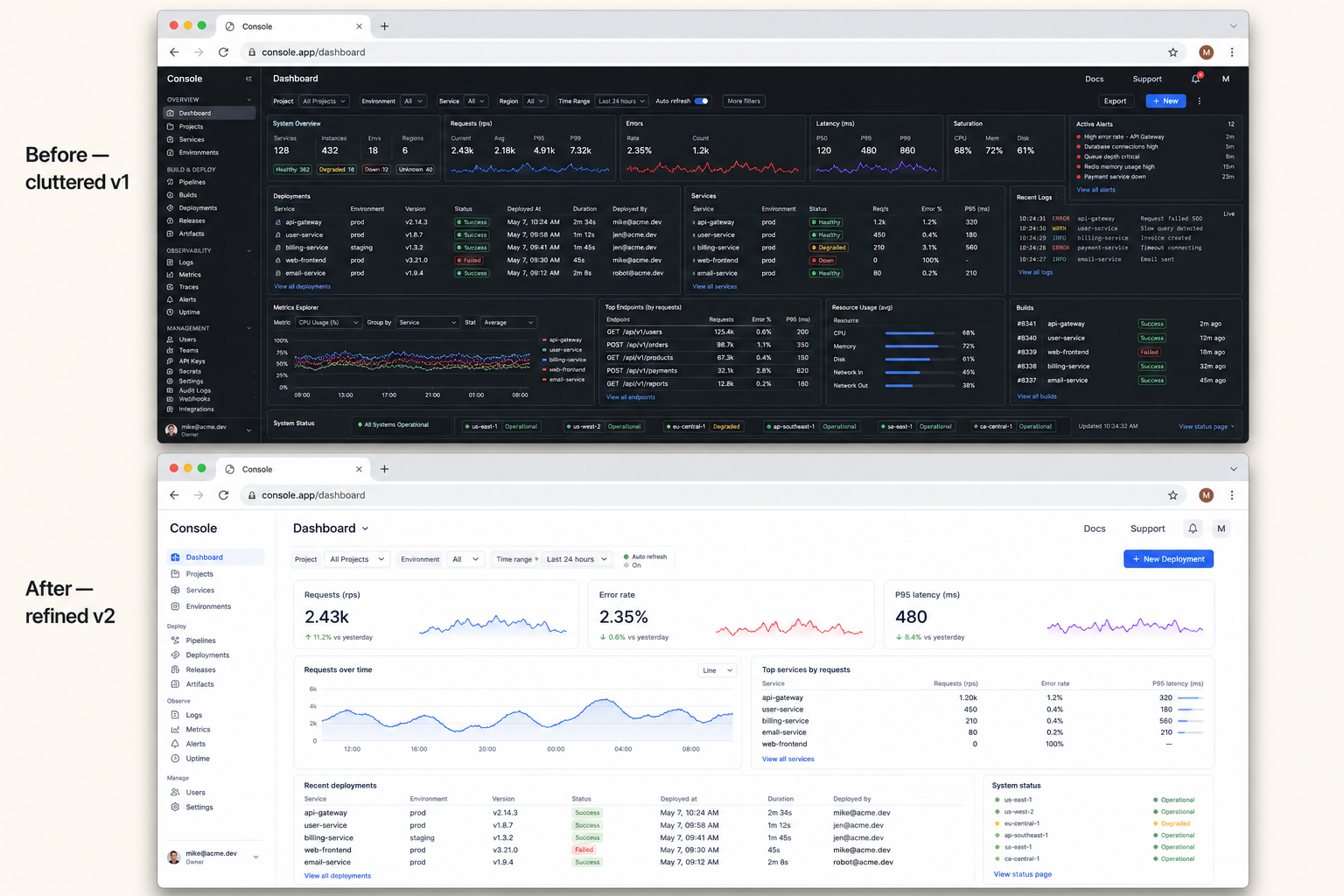
codex-vision generate "Minimalist boxes-and-arrows system architecture diagram: Client at top, API Gateway below it, three services beneath (Auth, Payments, Notifications), and shared Postgres + Redis at bottom. Monochrome on a light cream background. Clean labels, technical-sketch style. 16:10." \
  --out ~/Desktop/arch.png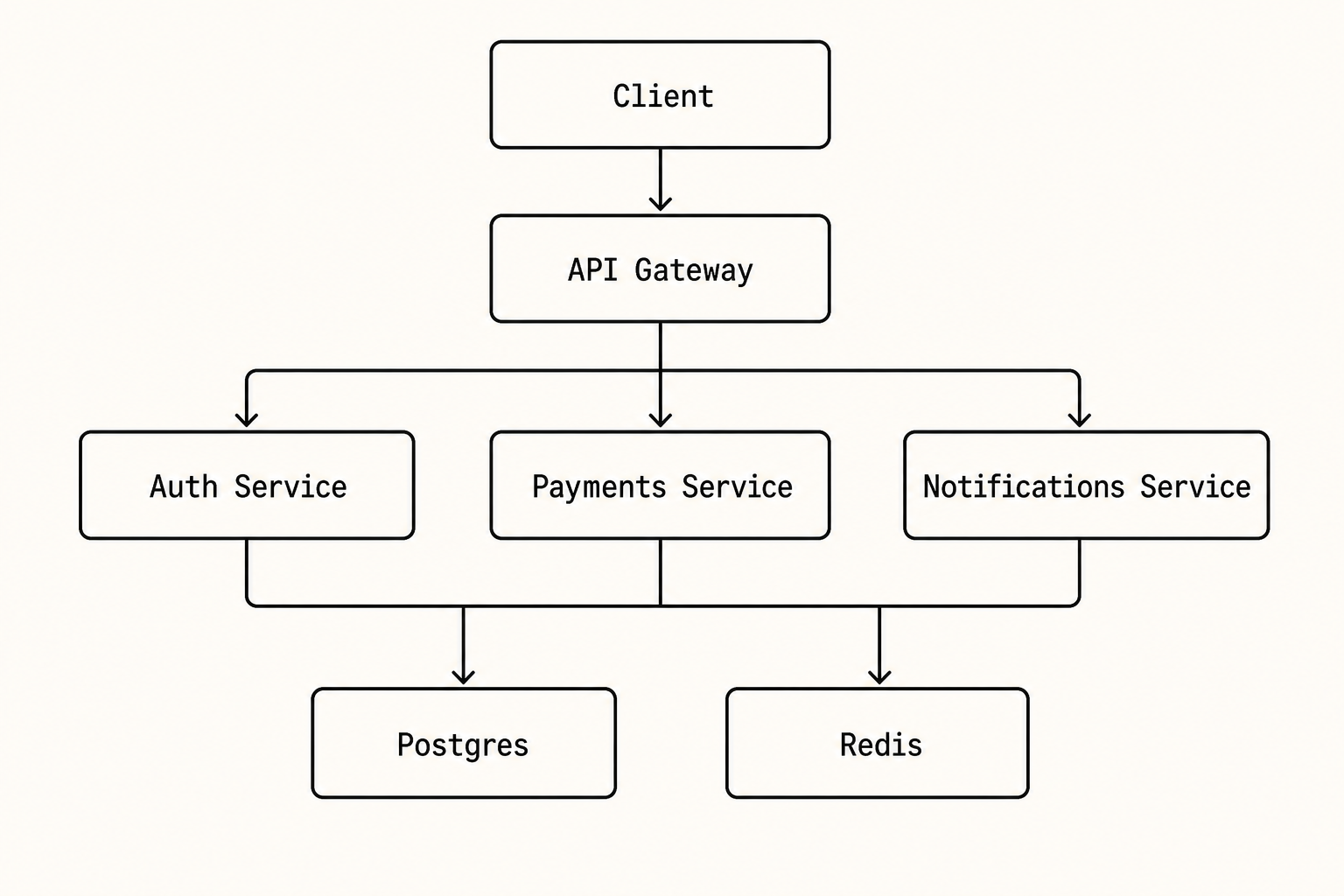
codex-vision generate "High-fidelity SaaS landing page mock displayed inside a 27-inch Apple iMac (silver/aluminum). Dark navy hero with bold left-aligned 'Ship faster with Atlas', a tight subhead, primary coral CTA + outlined secondary, and a floating product UI preview card. 3-column features row below. Off-white canvas, single coral accent, Inter typography, generous whitespace. Soft cream-to-peach gradient backdrop, photoreal display reflection. 16:9, magazine-quality." \
  --out ~/Desktop/atlas.png
Below is the actual review output run against the pricing mock above:
codex-vision review ~/Desktop/pricing.png \
  "Act as a senior product designer. Critique on visual hierarchy, scannability, CTA prominence, tier differentiation, trust. Return exactly 5 prioritized issues, each one line, with a one-line fix."
- The Pro card dominates by border but the CTA hierarchy is uneven; make Pro's CTA primary and keep Hobby/Team as clearly secondary with consistent button weight.
- Tier differentiation is weak because features repeat with small deltas; add short tier descriptors under each plan name.
- Pricing is scannable, but feature lists are visually dense; group features by value area or bold the differentiators.
- Trust is thin before asking for payment; add reassurance near CTAs ("No credit card required," cancellation terms, security badges).
- (etc.)
| Mode | What it triggers in Codex |
|---|---|
review IMAGE [IMAGE…] PROMPT |
codex exec -i <png> "<prompt>" → Codex's functions.view_image tool |
generate PROMPT |
wraps prompt as "Use the built-in image_gen tool to generate … save to <out>" |
edit IMAGE PROMPT |
codex exec -i <png> + "Use the built-in image_gen tool to edit the attached image: <prompt>" |
The wrapper picks predictable session and log paths, defaults images to /tmp/codex-vision-out/, and prefixes any tmux session it spawns with claude-codex- so the user can inventory anything Claude started (tmux ls | grep claude-codex-).
codex-vision doctor runs preflight checks — codex binary, version, tmux, fixture, and an auth probe — and prints copy-paste install instructions if Codex isn't on the box.
Skill description fields are read by autonomous agents to decide whether to auto-invoke. Loose phrasing fires when it shouldn't; tight phrasing skips legitimate use. The repo treats SKILL.md as code under test:
tests/triggering/cases.yaml— 50 hand-written user prompts (15 fire / 20 skip / 15 clarify), spanning happy paths, near-miss text-only requests, ambiguous "use codex" phrasing, and stale-screenshot decoys.scripts/check-triggering.sh— batches all 50 cases into a singlecodex execcall, parses verdicts, fails on any false positive (expectedskip/clarify, gotFIRE) or false negative (expectedfire, gotSKIP/CLARIFY).
bash scripts/check-triggering.sh --runs 3
# [check-triggering] 50/50 passed
#   false positives (expected skip/clarify, got FIRE): 0
#   false negatives (expected fire, got SKIP/CLARIFY): 0
Current bar: 50/50 hard pass across three independent trials at v0.3.2. Re-run after every edit to description or the When to invoke / When NOT to invoke sections.
- macOS (full support) — Linux / WSL works if
codexis on PATH. - Codex CLI installed + authenticated (
codex login). tmuxif you use--tmux <name>mode.
codex-vision doctor checks all of the above and prints actionable install instructions if anything is missing.
MIT.