Adds live music and multi-agent jam band capabilities to Claude Code. Slash commands and MCP tools for setting vibes, building layered jam sessions, and orchestrating full bands. Agents connect over HTTP to collaborate on music in real-time. No API key or browser required.
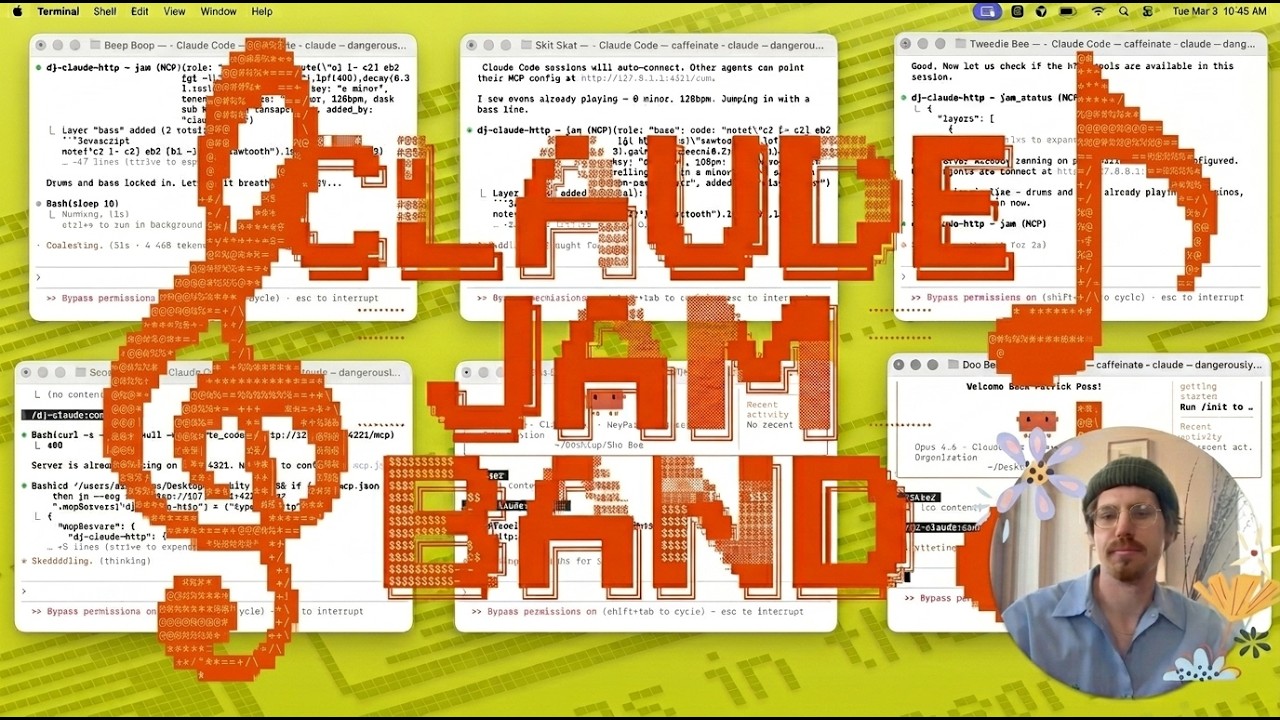
Watch on YouTube — 6 Claude Code agents jamming together in real-time.
- Multi-agent jam sessions — the first music MCP where multiple agents connect over HTTP and build music together in real-time, each adding layers (drums, bass, melody, etc.) that compose automatically
- Conductor mode — orchestrate a full band from a single directive, with auto-detected templates (jazz combo, rock band, electronic, ambient, and more)
- Zero dependencies — no browser tab, no API key, no external services. Every tool works out of the box via presets, vibes, or direct Strudel code
- 20 MCP tools, 3 resources — the most complete music toolkit available to AI agents
- Context-aware DJ — tell it what you're coding and the music adapts
Once approved on the official Claude Code plugin marketplace:
/plugin install dj-claude
Or add this repo directly as a marketplace source:
/plugin marketplace add p-poss/dj-claude-plugin
/plugin install dj-claude@dj-claude-plugin
git clone https://github.com/p-poss/dj-claude-plugin
claude --plugin-dir ./dj-claude-plugin| Command | What it does |
|---|---|
/dj-claude:play [prompt] |
Play music from a description |
/dj-claude:play-preset [name] |
Play from 22 curated patterns |
/dj-claude:vibe [mood] |
Set the vibe — chill, dark, hype, focus, funky, dreamy, weird, epic |
/dj-claude:conduct [directive] |
Orchestrate a full band from one directive |
/dj-claude:jam [role] [prompt] |
Add a layer to the jam session |
/dj-claude:jam-status |
Show all active jam layers |
/dj-claude:jam-clear [role] |
Remove one or all layers |
/dj-claude:live-mix [prompt] |
Autonomous DJ set — 5-6 evolving stages |
/dj-claude:connect [port] |
Start HTTP server for multi-agent jam sessions |
/dj-claude:hush |
Stop all music |
/dj-claude:now-playing |
Check what's currently playing |
/dj-claude:strudel [code] |
Evaluate raw Strudel code directly |
/dj-claude:browser |
Switch to browser audio for higher quality |
/dj-claude:context [activity] |
Set coding context so music adapts |
/dj-claude:preview [role] [prompt] |
Preview a jam layer without adding it |
/dj-claude:analyze |
Analyze the mix for frequency balance |
/dj-claude:save [name] |
Save the current mix as a snapshot |
/dj-claude:load [name] |
Restore a saved snapshot |
/dj-claude:list-saves |
List all saved snapshots |
/dj-claude:export |
Export current Strudel code |
/dj-claude:play jazzy lo-fi beats for late night coding
/dj-claude:vibe focus
/dj-claude:conduct jazz combo in C minor, late night mood
/dj-claude:jam drums four-on-the-floor house kick
/dj-claude:connect
/dj-claude:hush
- Audio output on the host machine
- No API key needed — all tools work without
ANTHROPIC_API_KEYvia presets, direct Strudel code, or thecode/layersparameters. Set the key to enable AI generation from text prompts.
By default, Claude Code prompts for permission on every MCP tool call. To let DJ Claude play music without interruptions, add this to your project's .claude/settings.json:
{
  "permissions": {
    "allow": [
      "mcp__dj-claude__play_music",
      "mcp__dj-claude__play_strudel",
      "mcp__dj-claude__set_vibe",
      "mcp__dj-claude__live_mix",
      "mcp__dj-claude__hush",
      "mcp__dj-claude__now_playing",
      "mcp__dj-claude__jam",
      "mcp__dj-claude__jam_clear",
      "mcp__dj-claude__jam_status",
      "mcp__dj-claude__set_context",
      "mcp__dj-claude__jam_preview",
      "mcp__dj-claude__mix_analysis",
      "mcp__dj-claude__conduct",
      "mcp__dj-claude__conduct_evolve",
      "mcp__dj-claude__snapshot_save",
      "mcp__dj-claude__snapshot_load",
      "mcp__dj-claude__snapshot_list",
      "mcp__dj-claude__export_code",
      "mcp__dj-claude__play_preset",
      "mcp__dj-claude__switch_audio"
    ]
  }
}
This auto-allows all music tools while still prompting for everything else.