
This is a standalone web app (works offline) designed to help retro gaming enthusiasts organize random draws for championships. The app randomly selects consoles, games, and opponents, encouraging players to step out of their comfort zones.
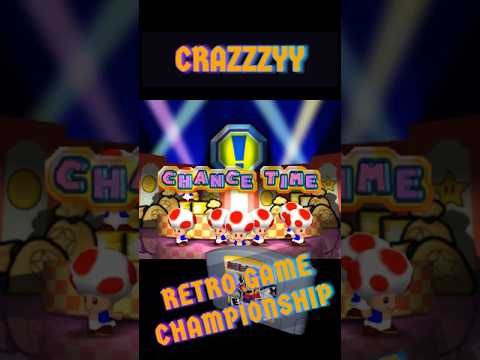
Inspired by the chaotic fun of "Chance Time" from Mario Party, the app features a similar draw mechanic: a participant is chosen to spin the wheel and determine the console, number of players, opponents, and the game to be played.
🎥 Watch the video demo:
Enjoyed the idea? Had fun using it? Got suggestions for new features? Consider buying me a beer! 🍺 ^.^

├── index.html          # Main HTML file
├── style.css           # Stylesheet
├── app.js              # Application logic
├── data.js             # Configuration (players, consoles, games)
├── slotmachine.js      # Slot machine library
├── consoles/           # Console images
├── participants/       # Player profile images
└── media/              # Sounds, videos, and other assets
All configuration is done in the data.js file. You'll need to customize three main sections:
Edit the event.participants array with your players:
let event = {
  participants: [
    { name: "Player Name", round1: 0, round2: 0, round3: 0, round4: 0, total: 0, profileImg: "participants/player.png" },
    // Add more players as needed (recommended: 8-16 players)
  ],
  currentRound: 1,        // Current round - do not change
  rounds: new Array(4), // 4 rounds - do not change
};
Each player requires:
| Property | Description |
|---|---|
name |
Player's display name |
profileImg |
Path to profile image (recommended: 195x177px) |
round1-4 |
Round scores (keep at 0) |
total |
Total score (keep at 0) |
💡 Tip: Place all player images in the
participants/folder.
Edit the videoGamesList array:
const videoGamesList = [
  { name: "SNES", image: "consoles/snes.png" },
  { name: "N64", image: "consoles/n64.png" },
  { name: "PS1", image: "consoles/ps1.png" },
  // Add more consoles as needed
];
Each console requires:
| Property | Description |
|---|---|
name |
Console name (must match games list) |
image |
Path to console image |
💡 Tip: Place all console images in the
consoles/folder.
Edit the games array:
const games = [
  { console: "SNES", playerCount: "x2", game: "Mario Kart", desc: "" },
  { console: "N64", playerCount: "x3", game: "GoldenEye", desc: "License to Kill mode" },
  { console: "PS1", playerCount: "x4", game: "Crash Team Racing", desc: "" },
  // Add more games as needed
];
Each game requires:
| Property | Description |
|---|---|
console |
Console name (must match videoGamesList) |
playerCount |
Number of players: x2, x3, or x4 |
game |
Game title |
desc |
Optional rules/settings (e.g., "Best of 3") |
⚠️ Important: Make sure each console has at least one game for each player count (x2,x3,x4) you plan to use.
- Setup: Download all files and configure
data.jsas described above. - Launch: Open
index.htmlin a modern browser (Chrome recommended). - Full Screen: Press F11 for the best experience (optimized for 1080p).
- Draw: Press Enter to start the slot machine draw.
- Record Results: After each match, select winners and click the appropriate button:
- ✅ Won! - Mark the winner(s)
- 🤝 Tied! - Mark a draw (rounds 1-4 only)
| Phase | Win | Tie | Loss |
|---|---|---|---|
| Rounds 1-4 | 3 pts | 1 pt | 0 pts |
| Semifinals | 12 pts | — | 6 pts |
| Grand Final | 24 pts | — | 18 pts |
- Rounds 1-4: All players compete in random matchups
- Semifinals: Top 4 players advance (2 matches)
- Grand Final: Winners face off for the championship
At the end, an animated awards ceremony displays the final standings! 🏆
| Key | Action |
|---|---|
Enter |
Spin the slot machine |
F11 |
Toggle fullscreen |
If something goes wrong, you can reset the app:
- Set
showReset = trueinapp.js - Reload the page
- Click the "Reset?" button
If the app enters an inconsistent state:
- Open browser DevTools (F12)
- Go to Application > Local Storage
- Clear the stored data
- Bootstrap 5.3.3 - UI framework
- jQuery 3.7.1 - DOM manipulation
- Keydrown 1.2.8 - Keyboard input handling
- SlotMachine.js - Slot machine animations
Music and images belong to their respective owners and were sourced or edited from Google searches or the games being celebrated.
- Slot Machine Library: jQuery-SlotMachine
- CDN libs: keydrown, jQuery, Bootstrap
- Mario Kart Font: FontStruct
- Mario Kart Sprites: Spriters Resource
- Chance Time Video: YouTube
- Soundtracks: KHInsider
- Sample Player Photos: BrightSide
Developed by: odelot
License: See LICENSE file
