This repository contains the firmware for the hardware controller of the rsplayer music player system. The firmware is designed to run on a Raspberry Pi Pico (RP2040 microcontroller) and serves as the main user interface and control hub for the system.
It works in conjunction with the main rsplayer application (running on a separate host, like a Raspberry Pi) and the custom hardware defined in the rsplayer_hardware project.
- System Control: Communicates with the main
rsplayerapplication via USB to send commands like Play, Pause, Next, Previous, and Power Off. - Power Management: Controls power relays for the entire system, including the host Raspberry Pi and the main Power Supply Unit (PSU).
- User Interface:
- Displays system status, volume levels, and input source on a 128x64 ST7920 or ILI9488 LCD.
- Automatically dims and turns off the display backlight after a period of inactivity.
- Input Handling:
- IR Remote: Responds to commands from a standard NEC-protocol IR remote.
- Rotary Encoder: Allows for precise volume adjustment.
- Rotary Encoder Button:
- Short Press: Toggles Play/Pause.
- Long Press (>5s): Toggles system power.
- DAC Control:
- Directly manages an I2C-connected DAC (AK4490 and AK4497 currently).
- DAC software volume control (serial mode).
- Switches between DSD and PCM modes.
- Cycles through various DAC digital filters and sound settings.
- Input Source Selection: Toggles between the internal I2S signal from the host and an external optical/coaxial input.
- Persistent Settings: Saves the last used volume and input source to the microcontroller's flash memory, restoring them on startup.
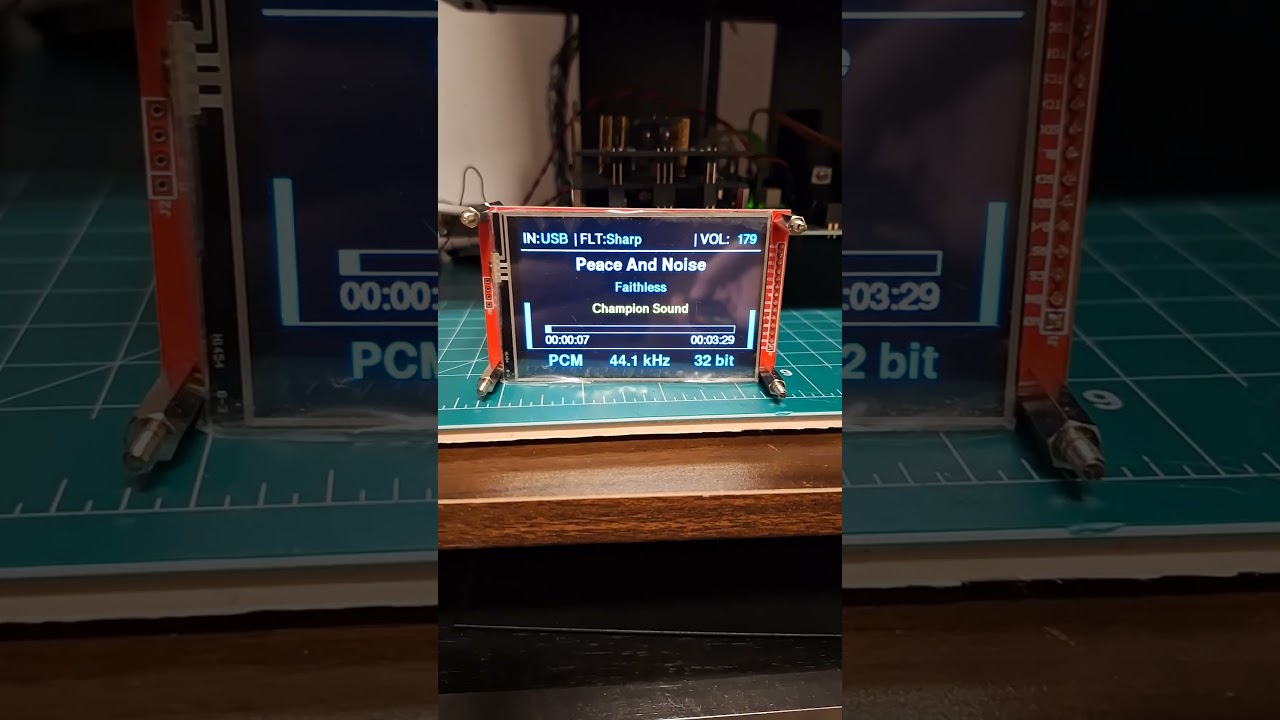
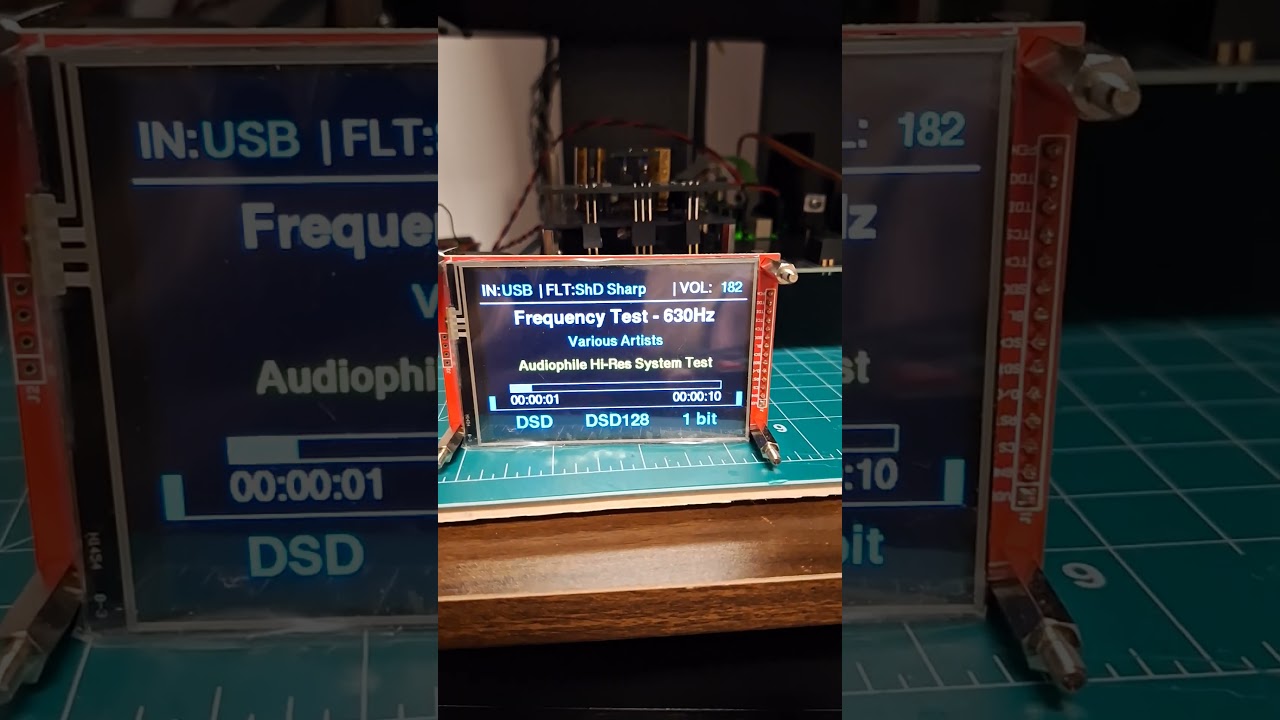
This firmware is specifically tailored for the custom hardware designed in the rsplayer_hardware project. The key components are:
- Microcontroller: Raspberry Pi Pico (RP2040)
- Display: ST7920-based 128x64 monochrome LCD or ILI9488 based 480x320.
- DAC: An I2C-controlled Digital-to-Analog Converter.
- Inputs:
- Standard IR receiver (e.g., TSOP38238).
- Rotary encoder with an integrated push-button.
- Communication: USB interface for connecting to the host system.
- rsplayer: The core music player application that runs on a Linux host (e.g., Raspberry Pi).
- rsplayer_hardware: The repository containing the KiCad schematics and PCB layout files for the hardware.
The firmware is built using the embassy async framework for embedded Rust.
- Rust Toolchain: Install Rust using rustup.
- Target: Add the required target for the RP2040:
rustup target add thumbv6m-none-eabi
- probe-rs: Install the flashing and debugging tool:
cargo install probe-rs
- Debug Probe: You will need a debug probe compatible with the RP2040, such as a second Raspberry Pi Pico running the Picoprobe firmware.
Clone the repository and build the firmware:
git clone https://github.com/ljufa/rsplayer_firmware.git
cd rsplayer_firmware
To build for production/release:
cargo build --release --features release,ak4497,ili9488 --no-default-featuresConnect the debug probe to your development machine and the target hardware. Then, use probe-rs to flash the firmware.
To flash the release binary:
probe-rs download --chip RP2040 @/dev/shm/cargo_target/thumbv6m-none-eabi/release/rsplayer_firmwareFor development:
cargo runif it fails or stuck run ctrl-c && probe-rs info first
The command specified in the .cargo/config.toml file will be used for cargo run, which simplifies the process.