
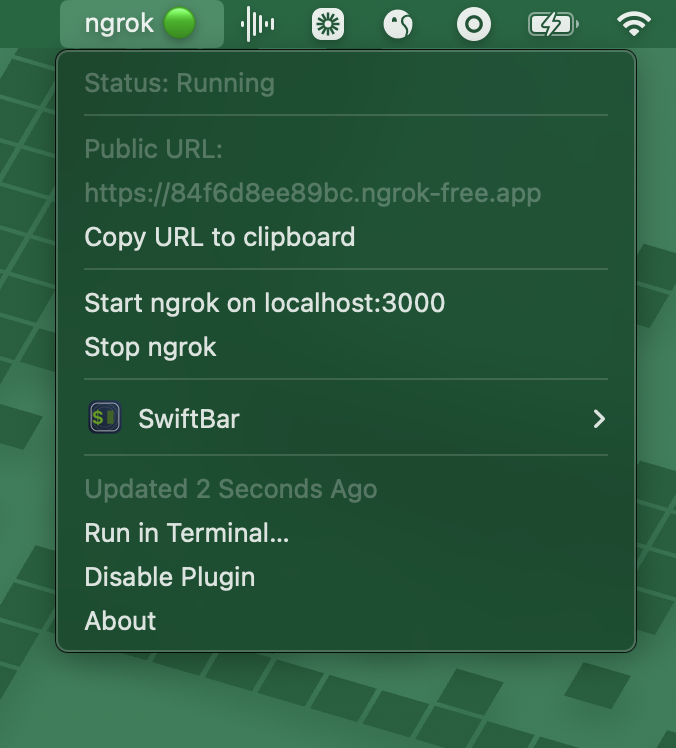
A SwiftBar plugin to control ngrok from your macOS menu bar.
- Start/stop ngrok tunnels from the menu bar
- View tunnel status (running/stopped)
- Copy public URL to clipboard
-
Install SwiftBar:
brew install --cask swiftbar
-
Copy the plugin to your SwiftBar plugins folder:
P="$(defaults read com.ameba.SwiftBar PluginDirectory)/ngrok.3s.sh" && curl -o "$P" https://raw.githubusercontent.com/PaulMcInnis/ngrok-desktop/main/ngrok.3s.sh && chmod +x "$P"
Click the ngrok icon in your menu bar:
- 🟢 = ngrok running
- 🔴 = ngrok stopped
Menu options:
- View current public URL
- Copy URL to clipboard
- Start ngrok on localhost:3000
- Stop ngrok
MIT