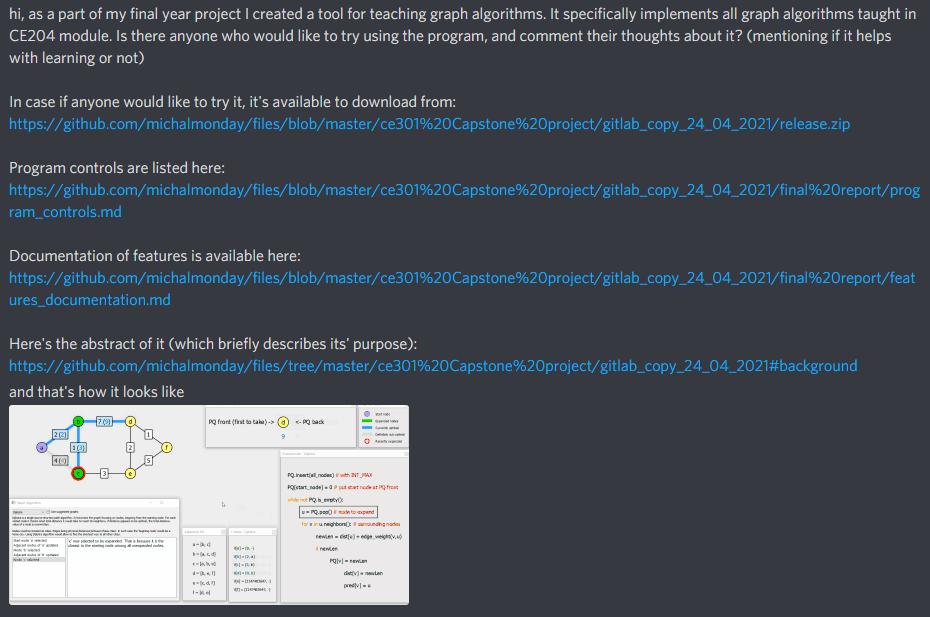
I presented the functionality of the program to multiple people and asked for feedback. These were mostly my flatmates, but also a student taking CE204 Data Structures and Algorithms module and the project supervisor. My plan was to ask CE204 students to test the program themselves and comment their thoughts about it (which I did using "CE204" discord channel), but unfortunately no one was really interested in doing it, which is understandable considering possibly high workload at this stage of academic year (April).
Automated tests (e.g. unit tests) are very useful in long term development, however personally I think that creating unit tests for relatively short academic projects is a waste of time (time that could be used to improve the developed system in other ways). I further justified this approach in the last year team project "TestReport.md" file:
Automated tests
We did not implement any automatic testing like unit tests. In our opinion, ad-hoc testing was more time efficient and more appropriate because of our somewhat chaotic development pattern. At the begining of the project we had no idea how exactly we'll create the program, what features it will have, what will be the structure of it. In that case writing unit tests at early stage is either impossible or not worth the time because of great likelihood of the code changing later. In the later stages we focused on adding more features up till the last moment. Doing frequent ad-hoc tests and effectively using the debug mode allowed us to create stable program without using automated testing methods.
Testing of program behaviour and features was done by "ad-hoc" method at different stages:
- during implementation
- when creating documentation
- when presenting the program to other people
As I wrote in the previous year team project "TestReport.md" file, the tests were not formally written and involved:
-making a change (e.g. adding some feature)
-running the program and interacting with it trying to find out if the newly implemented feature works properly
-spending additional minute or two considering if the newly implemented feature may potentially cause some bugs in unconventional circumstances (that are unlikely but possible to happen)
What ad-hoc tests were done exactly?
Most of them were very simple. For example, after implementing ability to add and delete nodes I checked if they're added/removed correctly, if their labels are correct and are reused, if the ordering of label names is correct (e.g. I checked what happens when the label name reaches "Z" or "ZZ" to ensure that "AA" and "AAA" follow these respectively). Every implemented feature was tested this way, so I think it would be a waste of space to list all of the simple tests.
Some of the tests were not as obvious. For example, the program allows to position different sub-windows in different areas of the screen, it also allows to put them in separate screens. This in combination with the position preserving functionality (positions of windows are restored after program restart) creates a potential risk of a nasty bug. If the user has 2 screens, but disconnects one of them, would some of the sub-windows become unreachable? That was one of the less trivial tests I have done for this program (it turned out that such windows automatically get moved in-sight by the operating system).
As mentioned in the implementation_report.md file, the program was written in C++ using Qt framework. Qt framework uses various dynamically linked libraries (dlls) that must be present on the system where the program is launched. I wanted to ensure that anyone who completes installation instructions (from the README.md file) will be able to run the program and not run into some error message. For that reason I attempted to run the program on a PC that does not have Qt libraries, the program failed to start. Then I learned how to deploy the program (how to produce copies of all required Qt dlls and other resources) of which record is shown in "Deploying Qt program on Windows" section of implementation_report.md file.
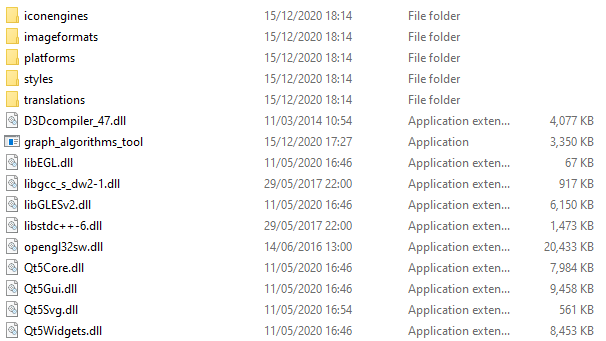
After producing all the files accompanying the "graph_algorithms_tool.exe" file, I repeated the test on a PC without Qt installed, this time the program ran correctly.
C++ does not have a "garbage collector" functionality. This means that the programmer is responsible for allocating and deallocating memory, which in turn creates a risk of mismanagement like:
- memory leaks (allocating memory repetitively without deallocating it when it's not needed anymore)
- "null" pointer issues (pointing to location 0), e.g. uninitialized objects being treated as initialized objects
- "dangling" pointer issues (pointing to deallocated object), e.g. deallocated objects being treated as active objects
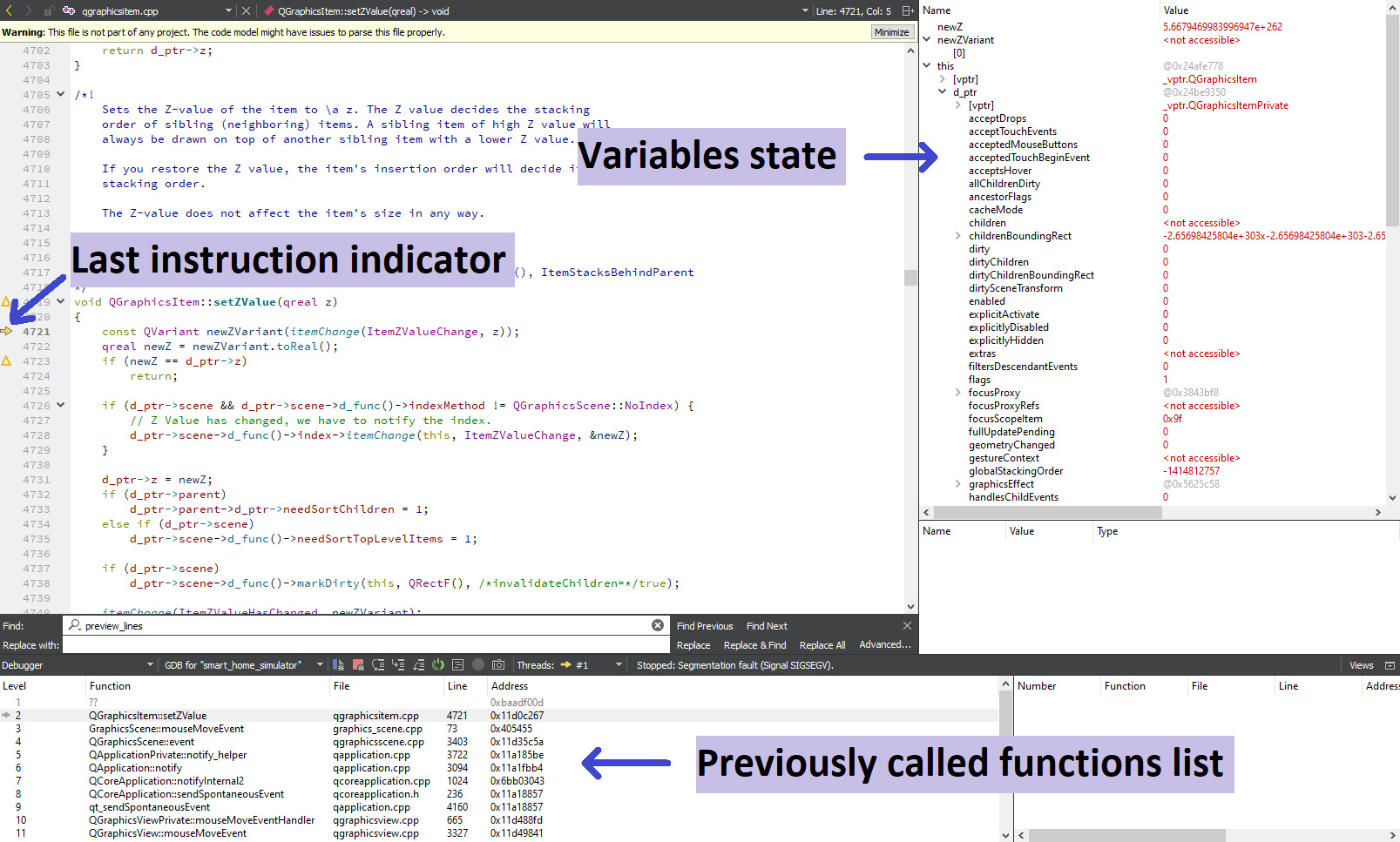
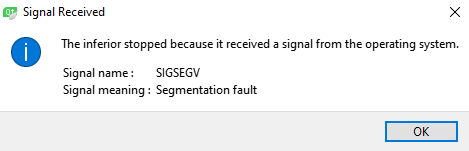
These are common causes of program crashes. These caused a lot of program crashes during development. Thanks to using debugger I was able to get rid of these. Below I present how debugging process is initiated in Qt and what the interface looks like:
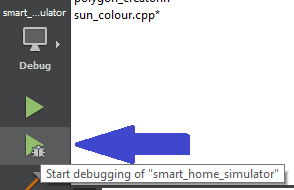
"Start debugging" button in Qt:
Segmentation fault notification once the program crashes:
Debug interface in Qt following the crash: